Your Complete Canva Guide — From Basics to Advanced Design
Your Complete Canva Guide — From Basics to Advanced Design
A structured Canva guide that takes you from basic navigation to advanced design techniques — built for creators, not casual users.
Canva is simple to start but surprisingly deep once you move past the basics. Most creators use maybe 20% of what the platform can do — they resize images, drop in text, and call it done. This guide is for anyone who wants to actually use Canva as a serious design tool: building brand kits, creating multi-page documents, using advanced layout techniques, and producing professional-quality visuals without a graphic design background.
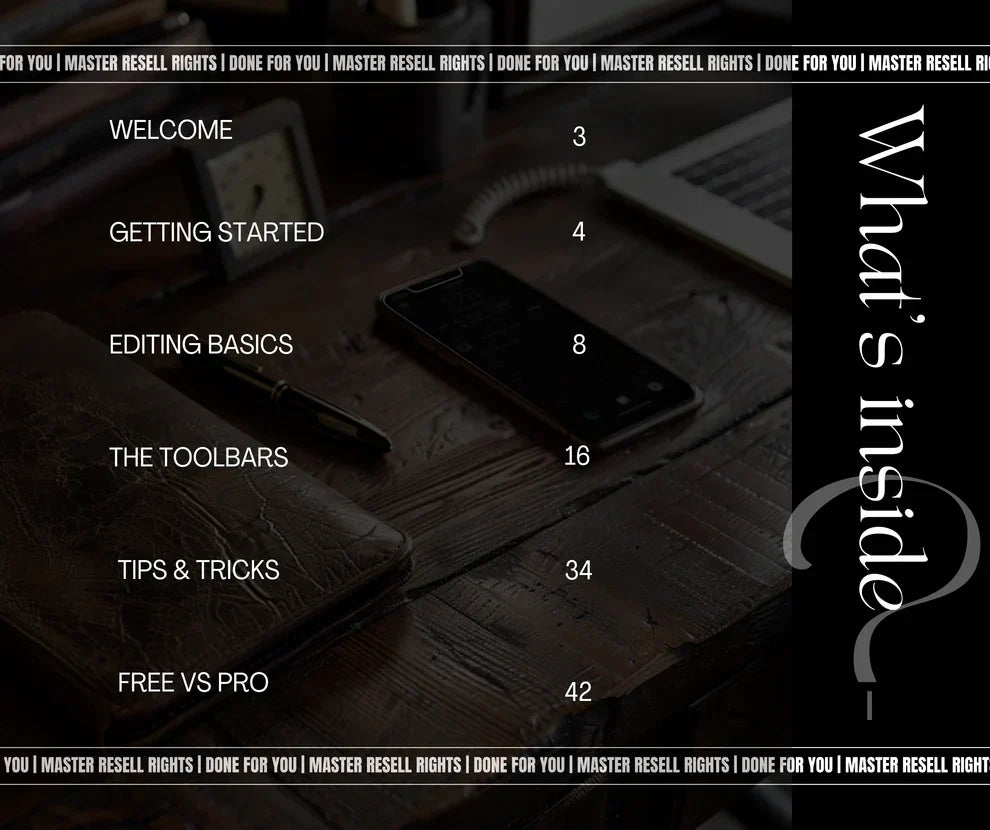
What's Inside
Interface & navigation — a clear walkthrough of Canva's workspace, panels, menus, and shortcuts so you stop guessing where things are.
Core design tools — how to use text, shapes, frames, grids, and the alignment tools that make designs look polished.
Templates & customization — how to pick the right template, customize it without breaking the layout, and build your own reusable templates.
Brand Kit setup — configure your colors, fonts, and logos so every design stays consistent with your brand identity.
Advanced techniques — layering, transparency, masking, background removal, animation, and multi-page document design.
Exporting & optimization — the right file formats and settings for social media, print, web, and digital products.
Who This Is For
Content creators and digital product sellers who use Canva daily but want to produce higher-quality work in less time. Entrepreneurs who design their own social media posts, eBooks, presentations, and marketing materials. Anyone who has watched random Canva tutorials but wants one organized reference they can return to.
What You Get
Instant digital download — access immediately after purchase.
Comprehensive eBook covering beginner through advanced Canva features.
Master Resell Rights included — resell this product as your own and keep 100% of the profit.
Couldn't load pickup availability
What's Included
What's Included
Instant digital download — access immediately after purchase.
Master Resell Rights (MRR) — sell this product as your own and keep 100% of the profit.
Lifetime access — download anytime, as many times as you need.
How to Download
How to Download
Step 1: Check your email for the order confirmation with your download link.
Step 2: Click the download link or go to "My Downloads" in your account.
Step 3: Save the file to your device. If it's a ZIP file, right-click and extract.
Step 4: Open and enjoy your new product!
Didn't receive your email? Check your spam folder or contact us at hello@creatorkit.dev
About Resell Rights (MRR/PLR)
About Resell Rights (MRR/PLR)
Master Resell Rights (MRR): You can resell this product and keep 100% of the profits. Your buyers also receive the right to resell.
Private Label Rights (PLR): Where applicable, you can edit, rebrand, and sell the product as your own creation.
Each product listing specifies which rights are included. All CreatorKit products include MRR at minimum.
Refund Policy
Refund Policy
All products are digital downloads and non-refundable once purchased and accessed. Please review the product description carefully before buying.
Questions before purchasing? Contact us at hello@creatorkit.dev — we're happy to help.
Share